SMY Solutions

Blog

Your blog category

The New Era of Real Estate Search: How to Make Sure Google’s AI Recommends You

The New Era of Real Estate Search: How to Make Sure Google’s AI Recommends You The way people look for homes and real estate agents online just changed forever. At the latest Google I/O conference, Google showed off its new AI-powered search engine. Instead of giving users a traditional list of blue website links, Google now uses AI to talk directly to users, answer their questions on the spot, and even do research for them. Think of it this way: Google is changing from a search engine into a digital personal assistant. For real estate agents, this is a massive shift. If a buyer asks Google, “What’s the best neighborhood in Austin for a young family with a $600k budget?”, Google’s AI will write out a personalized answer right there on the screen. If your website isn’t the source Google uses to write that answer, you completely disappear from the buyer’s radar. Here is what you need to know to survive and win in this new AI world. The New Jargon, Simplified You might hear tech marketers throwing around a lot of new abbreviations. Let’s break them down simply: The Big Challenge: “Zero-Click” Searches The biggest hurdle for realtors is that buyers don’t need to click on websites anymore to get basic information. If someone wants to know “What is escrow?” or “How much are property taxes in Coral Gables?”, Google’s AI will just tell them. They won’t click on your blog post to find out. This means generic traffic to real estate websites will go down. You can no longer rely on lazy, generic blog topics to get clients. The Golden Opportunity: You Are the Local Expert Here is the good news: AI is smart, but it doesn’t live in your town. It doesn’t know that the coffee shop on 4th Street has the best lattes, or that traffic gets backed up near the elementary school at 3:00 PM. Google’s AI needs local data to answer buyers’ highly specific questions. If you provide that local knowledge on your website, Google will use your information and send high-quality, ready-to-buy clients straight to you. This levels the playing field, allowing local independent agents to beat giant corporate listing websites. 4 Simple Steps to Make Your Business “AI-Friendly” To make sure Google’s AI loves your website and recommends your business, follow this simple checklist: 1. Speak Like a Human (Use Q&A Formatting) Because people now talk to Google like a friend, you need to write your website content the same way. Instead of having a page titled “Our Services,” use actual questions as your headlines. 2. Share “Un-Googleable” Local Knowledge Stop writing generic articles like “5 Tips for Buying a Home.” Instead, write about things only a local neighbor would know. Write deep guides on specific neighborhoods, school districts, and local market trends. Use simple tables and bullet points to list things like average home prices or favorite local parks. AI loves organized, structured data. 3. Clean Up Your Digital Footprint Before Google’s AI trusts you enough to recommend you to a home buyer, it double-checks your reputation across the internet. 4. Use Hidden Digital Labels (Schema) Think of “Schema” as a hidden digital barcode you put on your website that only computers can see. It tells Google’s AI exactly what your text means. For example, instead of just typing your address, this code tells the AI: “This text is a Real Estate Brokerage office address.” Ask your website developer or use a simple plug-in to turn on Real Estate Schema so Google never gets confused about what you sell or where you operate. The Bottom Line AI isn’t replacing real estate agents, but agents who know how to talk to AI will replace those who don’t. By making your website easy for Google’s new AI to read, understand, and trust, you will ensure that your phone keeps ringing in 2026 and beyond. Contact SMY Solutions for a free website Audit

The New Era of Real Estate Search: How to Make Sure Google’s AI Recommends You Read More »

An elegant B2B marketing banner with a navy blue and gold color scheme, split diagonally between a bold headline and a modern office scene. Left Side: Large white and gold text on a dark blue background reads, "Is Your Brokerage Keeping Your Leads?" above a tagline emphasizing brand ownership. A faint cityscape silhouette sits at the bottom. Right Side: A professional man in a navy suit sits at a desk, looking at a large computer monitor displaying a white data dashboard titled "Incoming Leads" with various charts and metrics. A city skyline is visible through the window behind him.

Why Your Brokerage Page Isn’t Enough: The Case for a Personal Realtor Website

A brokerage profile page does not rank on Google for neighborhood searches, does not capture leads for you, and disappears when you change firms. A personal real estate website in New York gives you a permanent domain, IDX listing search, and local SEO authority that compounds over time and belongs entirely to you. Your broker gave you a page on their website. It has your headshot, your name, a contact form, and maybe a bio you wrote in 2019. It feels like enough. Then you search “Brooklyn co-op buyers agent” on Google and your name is nowhere near the first page. Their domain is. Their brand is. That page belongs to your brokerage. The URL has their name in it. Every Google ranking, every backlink, every piece of search authority you’ve helped build over the years stays with them. Move to a different firm and you start from zero. Do individual New York agents actually rank on Google against Zillow and StreetEasy? Yes, at the hyperlocal level. Broad searches like “homes for sale NYC” belong to the portals permanently. But neighborhood-specific searches are winnable for individual agents. “Co-op buyers agent Astoria Queens.” “Two-bedroom apartments Bushwick under 600k.” “Buying a brownstone Crown Heights 2026.” These are searches that Zillow and StreetEasy do not optimize for at that granularity. An agent with a dedicated neighborhood page and a blog post that answers the real questions buyers in that area are asking can rank on the first page. New York search is unusually specific because the city is unusually specific. A buyer relocating from Ohio doesn’t know the difference between Kensington and Windsor Terrace. An agent with a landing page for each, explaining the co-op board culture, the school zones, the subway lines, and the price-per-square-foot trends, tells Google and the buyer the same thing: this person actually knows this place. What is IDX integration and why does it matter for a New York realtor’s website? IDX (Internet Data Exchange) integration connects your website to the MLS, so buyers can search live listings directly on your site instead of leaving for StreetEasy or Zillow. When buyers search on your site, they stay on your site. That session data belongs to you. The lead form submission comes to your inbox, not a CRM your broker controls. You own the relationship from the first search instead of hoping the brokerage routes the inquiry back to you. In a market where buyers browse dozens of listings before contacting anyone, this matters. Every session that starts on your IDX-integrated site and ends with a contact form submission is a lead you captured directly. No platform taking a cut. No brokerage acting as the middleman. How a personal website builds neighborhood authority a brokerage page never can Think about what a buyer moving to Sunnyside actually wants to know. What is the commute to Midtown on the 7 train? Are the co-ops on 43rd Avenue mostly pre-war or post-war? What does $650k actually get you there right now versus six months ago? A brokerage page has none of that. Your personal site can have all of it. A post about buying your first co-op in Ridgewood. A guide to what “as-is” means on a Bronx two-family listing. A breakdown of carrying costs for a Crown Heights brownstone. A comparison of Park Slope vs. Prospect Heights for a family of four. This is content that earns trust before anyone picks up the phone, and it earns search rankings that stick around for years. Every article you publish, every neighborhood page you build, every backlink you earn lives on your domain. It compounds. It does not disappear when you change firms or when a platform raises its rates. According to NAR, buyers who start their search online are more likely to use an agent they found through digital content than one they found through a referral alone. The agent who wrote the guide to buying in Jackson Heights is the agent who gets the call from the buyer in Jackson Heights. How much does a personal realtor website cost in New York, and is it worth it? The usual objection to building a personal site is money. But in a market where a single closed deal in Williamsburg or Long Island City pays five figures in commission, the math is hard to argue with. A custom site from SMY Solutions starts at $1,000, paid over four months at $250/month. After that, you own it outright. Low monthly maintenance bill. No platform that goes dark if you stop paying. If one buyer finds you through your site instead of a brokerage page, the site has already paid for itself many times over. Your name is the brand buyers remember, not your brokerage’s In New York, buyers and sellers do not say “I’m working with Corcoran.” They say “I’m working with my agent.” Your track record in Flushing or Fort Greene, your knowledge of co-op board requirements, your reputation for getting deals done in competitive bidding situations: that is yours. A brokerage page reduces it to a headshot, a phone number, and a few recent listings. A personal site gives you room to show your work. Your sold properties in the neighborhoods you know best. Testimonials from clients who bought in Carroll Gardens or sold in Maspeth. Content that demonstrates you know this market the way only someone who works it every day can. That is also how you get recommended by AI. Agents who have published structured, specific, locally authoritative content are the ones showing up when a buyer asks ChatGPT or Google’s AI Overviews who the best agent is in a given neighborhood. Build the site. Own it. Let it work the overnight shift while you’re out showing apartments.

Why Your Brokerage Page Isn’t Enough: The Case for a Personal Realtor Website Read More »

A promotional graphic for a virtual assistant service. The graphic features the text "The Fortune is in the Follow Up" and "Accelerate your business: virtual assistants at your side" alongside a digital tablet showing a CRM dashboard, a desk with business accessories, and a city skyline background.

The Fortune is in the Follow Up: The $1M Difference in Real Estate Systems

In the high stakes world of real estate, the most successful agents are not necessarily the ones with the most leads. They are the ones with the best systems for holding onto them. As we move into the busiest months of 2026, many professionals are inadvertently leaving significant revenue on the table due to a single, preventable flaw: The Lead Leak. The “5 Touch” Rule: Why Your CRM is a Gold Mine Industry data consistently proves a haunting reality. 80% of successful transactions require at least five follow up touchpoints. Yet, the average agent stops after just one or two attempts. When you stop following up, you are not just losing a contact. You are handing a commission check directly to a more persistent competitor. The psychology of a modern buyer or seller is rooted in responsiveness. In an era of instant gratification, a Lead Leak occurs the moment a query goes unanswered for more than five minutes. If you are in a showing or a closing and cannot respond, that lead is effectively lost without a system in place. The “Secretary Trap”: Why Hustle is Not Scale Many realtors fail at follow up not because they lack the will, but because they lack leverage. They are trapped in what we call the “Secretary Trap.” This involves spending 80% of their day on $20/hr administrative tasks such as: If your time is worth $500/hr as a negotiator and closer, every hour you spend on admin work is a net loss for your business. To scale, you must pivot from being the “doer” to being the CEO. The VA Solution: Plugging the Leaks with SMY Solutions Hiring a specialized Real Estate Virtual Assistant (VA) is not an expense. It is a mechanical necessity for growth. By delegating the “shovel work” to a professional scaling partner, you ensure: Conclusion: Transform Your Pipeline Today The market in 2026 favors the efficient. By focusing on your Return on Investment (ROI) and delegating the administrative burden, you can reclaim your time. This allows you to focus on the “money moves” that actually grow your business. Stop leaving money on the table. Contact SMY Solutions today for a strategic audit of your follow up systems. Let us turn your CRM into a gold mine.

The Fortune is in the Follow Up: The $1M Difference in Real Estate Systems Read More »

A digital banner for SMY Solutions titled "Top 5 Virtual Assistant Tools for Data Security in 2026." The image features a modern workspace with a laptop and smartphone displaying security interfaces, centered around a large, glowing blue holographic shield icon containing a padlock. The company logo is in the top right corner, and the website URL is at the bottom left.

Top 5 Virtual Assistant Tools for Data Security in 2026

In 2026, data is the new currency. For business owners, the biggest hurdle to hiring a Virtual Assistant isn’t the cost—it’s trust. You need to know that your passwords, client lists, and strategic plans are locked down tighter than a vault. At SMY Solutions, we don’t just hire talented assistants; we arm them with an enterprise-grade security stack. Here are the top 5 tools our VAs use to keep your business safe, organized, and running at peak performance. 1. LastPass / 1Password (The Security Gatekeepers) The #1 rule of outsourcing in 2026: Never send a password over email or text. Our VAs use encrypted password managers to access your tools. You “share” access without ever revealing the actual password. 2. ClickUp & Notion (The Central Command) To stay organized without the back-and-forth “status update” emails, we use ClickUp for task management and Notion for your company’s Standard Operating Procedures (SOPs). 3. Slack Enterprise Grid (The Encrypted Office) Communication happens in real-time, but it shouldn’t happen in unsecured apps. We utilize Slack to keep conversations categorized by project. 4. Time Doctor / Hubstaff / Insightful (The Accountability Engine) Productivity is a form of security. These tools track work hours with optional screenshots and activity levels, ensuring you are billed only for actual work performed. 5. Google Workspace Enterprise (Secure Collaboration) From legal documents to real estate contracts, we use the enterprise-tier of Google Workspace. This allows for Data Loss Prevention (DLP)—setting rules that prevent sensitive info from being shared outside your approved circle. Is Outsourcing Safe? The SMY Solutions Guarantee Security is a culture, not just a software list. Beyond these tools, SMY Solutions provides: Stop worrying about the “what ifs” and start focusing on growth.

Top 5 Virtual Assistant Tools for Data Security in 2026 Read More »

New Algorithm Updates: How to Win on Meta and Google (Feb 2026)

The digital world just changed. This February, both Meta and Google released major updates. At SMY Solutions, we want to make sure your business stays ahead. Here is the simple breakdown of the new rules of the game. 1. Meta’s “Andromeda” Update: Stop the Scroll Meta’s new AI system, Andromeda, has changed how it decides which ads to show. 2. Google’s February Update: Quality Over Clicks Google just updated the Google Discover feed to reward content that provides real value. 3. Your 2026 Success Checklist To keep your traffic growing, follow these three simple steps: Need Help Growing Your Brand? At SMY Solutions, we handle the technical updates so you can focus on your business. Whether you need high-impact graphic design or a smart digital marketing strategy, we are here to help you win in 2026.

New Algorithm Updates: How to Win on Meta and Google (Feb 2026) Read More »

A professional digital marketing banner for SMY Solutions featuring a modern, blurred office interior at night. The foreground shows a laptop with a glowing "SEO" icon and various digital service symbols (like brain, gear, and video) floating above it. A dark blue button reads "Beyond Email," and a tan footer contains the title: "25 Tasks You Didn’t Know You Could Outsource to an AI-Equipped Virtual Assistant.

Beyond Email: 25 Tasks You Didn’t Know You Could Outsource to an AI-Equipped Virtual Assistant

TL;DR: Productivity in 2026 isn’t just about doing more; it’s about doing less of the wrong things. By leveraging an AI-equipped Virtual Assistant (VA) from SMY Solutions, you can outsource everything from predictive market research to short-form video editing, reclaiming up to 15+ hours per week. The Efficiency Gap: Why Traditional Outsourcing Isn’t Enough In the current landscape, “Email Management” is the bare minimum. To stay competitive, modern entrepreneurs are utilizing AI-augmented VAs. These professionals don’t just perform tasks; they use AI tools to synthesize data, automate workflows, and provide strategic insights. Quick Comparison: Standard VA vs. AI-Equipped VA Feature Standard Virtual Assistant SMY AI-Equipped VA Data Entry Manual typing and sorting Automated extraction & AI synthesis Content Basic blog drafting SEO/AIO optimized multi-channel content Research Google search links Generative market deep-dives & SWOT Scheduling Manual back-and-forth AI-driven calendar optimization 25 Tasks to Outsource for Maximum Productivity 1. Advanced Digital Marketing & Content 2. Strategic Market Intelligence 3. Operational & Technical Support 4. Administrative & Executive Flow 5. Specialized Niche Tasks Common Questions About AI Virtual Assistants (FAQ) Q: Will an AI-equipped VA replace my creative team? A: No. At SMY Solutions, our VAs use AI to handle the repetitive part of creativity—like formatting and initial drafting—leaving the final “human touch” and strategy to you. Q: How do I start outsourcing in Week 3 of my business growth? A: Focus on “The Friction Tasks.” Identify the 3 things you hate doing most. Hand those to an SMY Solutions VA first to see an immediate ROI on your time. Q: Is my data secure with a Virtual Assistant? A: Yes. We implement strict data privacy protocols and use encrypted password managers like LastPass or 1Password to ensure your business assets stay protected. Ready to reclaim your time? Book a Discovery Call with SMY Solutions today and let’s find the perfect AI-equipped partner for your business.

Beyond Email: 25 Tasks You Didn’t Know You Could Outsource to an AI-Equipped Virtual Assistant Read More »

Virtual Assistants in 2026: Why the “Human + AI” Model is the Future

It is 2026, and the “AI honeymoon” phase is officially over. We are now in the era of practical application. Tools like ChatGPT-5 and Gemini Advanced have revolutionized how we process data, writing code and drafting emails in seconds. However, a critical realization has hit the business world: AI alone lacks context, empathy, and accountability. While autonomous agents can perform tasks, they cannot manage relationships. This has led to the rise of a new standard in outsourcing: the AI-Augmented Virtual Assistant. This isn’t a choice between a human or a robot; it is a strategy to employ a human expert who uses robots to work 10x faster. Will AI Replace Virtual Assistants? The short answer is no. In 2026, AI has not replaced virtual assistants; it has upgraded them. The fear that “AI will take our jobs” has been replaced by the reality that “A human using AI will replace a human who doesn’t.” AI is excellent at execution (writing, calculating, scheduling) but poor at strategy (negotiating, prioritizing, empathizing). We are seeing a shift in the VA role from “Task Doer” to “Workflow Orchestrator.” The Hidden Cost of AI: Your Time Here is the truth most tech gurus won’t tell you: Using AI properly takes time. Writing the perfect prompt, iterating on the results, fact-checking the output, and formatting the data is a job in itself. A Human VA absorbs the “AI Management” time. They handle the prompting and reviewing, presenting you with only the polished, final result. This allows you to stop playing with software and start focusing on business growth. The Difference Between an AI Assistant and a Virtual Assistant To make the right hiring decision, you must distinguish between the tool and the pilot. Feature AI Assistant (The Tool) Virtual Assistant (The Pilot) Core Nature Software / Algorithm Human Professional Best For Data processing, drafting, basic automation. Complex decisions, client relations, strategy. Empathy None. Mimics tone but feels robotic. Genuine emotional intelligence and humor. Accountability Cannot be held liable for mistakes. Takes ownership and fixes errors. Context Limited to the current chat/thread. Understands your long-term business goals. In short: An AI assistant helps you save time on a task. A Virtual Assistant helps you save your sanity in business. The Hybrid Solution: The “AI-Augmented VA” The most successful companies in 2026 are adopting the Hybrid Model. This model combines the raw processing speed of Artificial Intelligence with the judgment and quality control of a human. How It Works (The 10x Advantage) Benefit to You: You pay for one human, but you get the output volume of a team of five. The SMY Solutions Standard At SMY Solutions, we don’t just hire “staff”; we hire tech-savvy operators. Our Virtual Assistants are trained in the latest 2026 AI tools. They know how to prompt engineers, how to automate workflows, and—most importantly—when to turn the AI off and use their human intuition. Frequently Asked Questions (FAQ) Will AI replace virtual assistants? No. AI replaces repetitive tasks, not the role itself. In 2026, the role of a Virtual Assistant has evolved into an “AI Operator.” Businesses still need humans to manage the AI, verify its accuracy, handle sensitive client relationships, and make strategic decisions that software cannot make. What is the difference between an AI assistant and a virtual assistant? An AI assistant is a software program (like a chatbot) that performs specific digital tasks based on prompts. A Virtual Assistant (VA) is a human professional who provides administrative, creative, or technical support. The key difference is that a human VA provides judgment, empathy, and proactive problem-solving, whereas an AI assistant only reacts to direct commands. Is it better to use an AI agent or a Human VA? For simple, low-risk tasks (like setting a timer or summarizing a generic article), an AI agent is better. For high-stakes tasks (like managing your inbox, replying to leads, or project management), a Human VA is essential. The ideal solution is a Human VA who uses AI agents to speed up their workflow. Ready to Upgrade Your Workflow? Don’t settle for a slow manual worker or a robotic AI that makes mistakes. Get the best of both worlds. Meet our tech-savvy VAs at SMY Solutions today

Virtual Assistants in 2026: Why the “Human + AI” Model is the Future Read More »

What a Virtual Assistant Can Do for You?

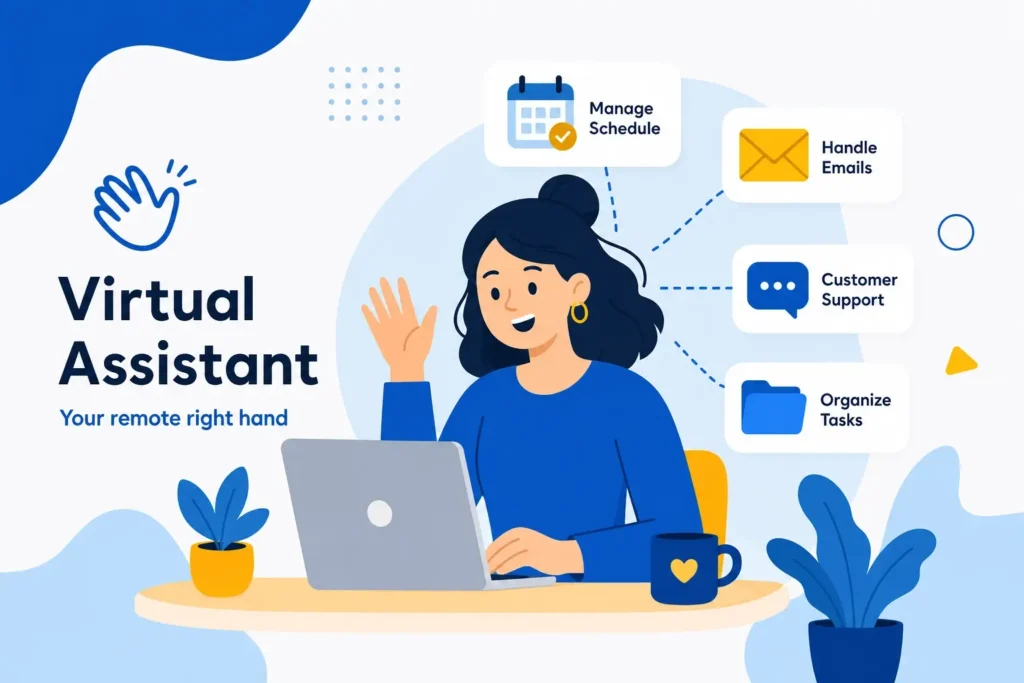
Running a business is exciting, but let’s be honest—it’s also overwhelming. From answering endless emails to juggling clients, social media, and finances, there’s barely enough time to breathe. That’s where a Virtual Assistant (VA) steps in. Think of them as your behind-the-scenes superhero—someone who takes care of the tasks that drain your time, so you can focus on the big picture: growing your business. In this article, we’ll break down exactly what a virtual assistant can do for you, how they can lighten your workload, and why hiring one might be the best decision you’ll make for your business growth. What is a Virtual Assistant? A Virtual Assistant is a skilled professional who provides remote support to businesses and entrepreneurs. They handle everything from admin work to digital marketing, client management, and even specialized industry tasks. Why Businesses and Individuals Need Them Time is money. Delegating repetitive and time-consuming tasks to a VA frees you to focus on revenue-generating activities. Whether you’re a real estate agent, attorney, small business owner, or solopreneur, a VA can be the difference between burnout and breakthrough. The Power of Delegation: Why VAs Are Game-Changers Before diving into tasks, let’s get one thing straight: hiring a VA isn’t about replacing you. It’s about freeing you. Imagine spending your day focusing only on sales calls, closing deals, or strategizing growth while someone else manages the routine tasks draining your energy. That’s the magic of delegation—and virtual assistants are built for it. 1. Administrative Support: Free Yourself from Busywork Think about how much time you lose on emails, scheduling, or calendar conflicts. A VA can: Instead of drowning in admin, you’ll get time back to focus on your high-value goals. 2. Customer Support: Keep Clients Happy Every business lives and dies by customer experience. But responding to inquiries, troubleshooting, or handling complaints can eat up hours. A VA can: This ensures your clients feel cared for—even when you’re busy elsewhere. 3. Social Media Management: Build Your Digital Presence In today’s world, if you’re not visible online, you’re invisible. A VA trained in digital marketing can: The result? A consistent online presence that builds credibility and attracts leads—without you spending hours scrolling through apps. 4. Content Creation: Blogs, Newsletters & More Content is king—but creating it takes time. Virtual assistants can: This helps you stay visible to your target audience without falling behind on content schedules. 5. Research & Data Management: Stay Ahead of the Curve Research is crucial but time-consuming. Whether it’s market research, competitor analysis, or gathering leads, a VA can do the legwork. They can also: So instead of sifting through endless tabs, you’ll have concise insights ready to act on. 6. Bookkeeping & Financial Tasks While not a replacement for an accountant, many VAs are skilled in basic financial tasks such as: This ensures your finances stay organized without you sweating the small details. 7. Real Estate Support (Specialized VAs) If you’re a realtor, a VA who understands real estate can be a lifesaver. They can: With a real estate VA, you get someone who knows the industry and helps you stay ahead of competitors. 8. Email Marketing & Lead Nurturing A VA can set up automated campaigns to keep your prospects warm. This includes: This means your leads don’t go cold while you’re busy closing deals. Why Hiring a VA is a Smart Business Move Hiring a VA isn’t just about outsourcing tasks—it’s about buying back your time. The cost of trying to “do it all” often results in burnout, missed opportunities, and slower growth. With a VA, you: Conclusion A Virtual Assistant can do more than you think—from handling admin to managing marketing, client support, and even specialized tasks like real estate or bookkeeping. By outsourcing the routine, you make space for strategy, creativity, and growth. Remember: your time is your most valuable resource. Stop wasting it on tasks someone else can handle. Hire a VA and focus on what truly matters—growing your business and serving your clients. Frequently Asked Questions 1. What tasks should I outsource first to a VA?Start with repetitive, time-consuming tasks like email management, scheduling, and social media. 2. Are VAs cost-effective compared to hiring full-time staff?Yes! You only pay for the hours worked, with no overhead like benefits or office space. 3. Can a VA work in my time zone?Absolutely. Many VAs adjust their schedules to match clients’ business hours. 4. Do VAs need training for my business?Some tasks may require orientation, but many VAs are already skilled in tools and platforms you use. 5. How do I know if my VA is productive?You can track performance through tools like Trello, Asana, or time-tracking software.

What a Virtual Assistant Can Do for You? Read More »