
SMY Solutions

Virtual Assiatant

What Every Realtor Website Needs to Generate Leads

Most realtor websites don’t fail because they look bad. They fail because they’re built like digital business cards: a headshot, a phone number, and an IDX feed nobody asked for. That’s not a lead machine. That’s a placeholder. If you’re a realtor in 2026 trying to compete with Zillow, Realtor.com, and the agent down the street who hired a developer two years ago, your website has to do actual work. Here’s what that looks like. What Makes a Realtor Website Generate Leads? A lead-generating realtor website needs six core elements: the right pages, active lead capture tools, fast mobile performance, local SEO, regular content updates, and a clear call to action on every page. Miss any one of these and the site collects visits without converting them. The Pages You Actually Need Homepage that answers one question fast.“Why should I work with you?” Visitors decide in seconds. If your homepage opens with a generic hero image of a house and the words “Your Dream Home Awaits,” you’ve already lost them. Lead with something specific: your market, your track record, what you actually do differently. Neighborhood pages.This is where most agents leave serious SEO traffic on the table. A dedicated page for every neighborhood you serve, with real information rather than copy-pasted city descriptions, will outrank generic search results over time. Think school districts, commute times, what the local market is doing. Write like someone who actually lives there. A proper About page.Not a bio that reads like a LinkedIn summary. People hire realtors they trust, and trust comes from specifics. How long have you been in this market? What kinds of clients do you work best with? What does your process actually look like? The agents who write honest, specific About pages get more inquiries than those who don’t. Buyer and Seller guides.A guide page for buyers and a separate one for sellers. These pages pull in organic search traffic from people who are researching before they’re ready to call anyone. By the time they do call, they already know who you are. Listings page.If you’re running IDX (integrated MLS listings), make sure it loads fast and works on mobile. Slow property searches kill sessions. If you don’t have IDX, even a manually updated “Current Listings” page is better than nothing. Contact page with a real form.Not just a phone number. A short form (name, email, what they’re looking for, timeline) gives you enough to follow up meaningfully. Keep it short. Five fields max. Lead Capture: What Actually Works The goal isn’t traffic. It’s contact information from people who have a reason to buy or sell. Home valuation tool.“What’s my home worth?” is one of the most searched questions by potential sellers. If you embed a valuation tool on your site and capture the address and email in exchange for the estimate, you’re generating warm seller leads passively. Options like HomeBot and HouseCanary integrate cleanly with realtor sites and can be white-labeled to match your brand. Free downloadable guides.A PDF like “The 7 Things to Know Before Selling in [Your City]” gated behind an email form is simple and effective. People who download it are thinking about selling. That’s your list. Live chat or a chatbot.Not a generic chatbot that asks “How can I help you today?” in Comic Sans. A simple, well-configured chat widget that answers basic questions (what neighborhoods you serve, how to schedule a call) keeps people on the site longer and converts browsers into conversations. Newsletter signup.Low-priority for most realtors, but if you send a genuine monthly market update rather than a template blast, people will subscribe and refer you. Mobile Optimization Is Non-Negotiable More than 60% of real estate searches happen on a phone. If your site takes four seconds to load on mobile, or if the contact form is impossible to fill out on a small screen, you’re losing leads before they’ve even introduced themselves. Specifics to check: Run your site through Google’s PageSpeed Insights. If your mobile score is below 70, it’s affecting your search rankings. SEO for Realtors: The Basics That Most Sites Get Wrong You don’t need to understand everything about SEO. You need the part that gets buyers and sellers to your site instead of a competitor’s. Write for the search terms your clients use.“Homes for sale in [neighborhood]” and “how much is my house worth in [city]” are high-intent queries. If you have a page targeting those phrases with real content, you can rank. If you don’t, Zillow does. Google Business Profile matters more than most people realize.Keep yours updated with current photos, your service areas, and recent reviews. Searches like “realtor near me” are heavily influenced by your GBP listing, not just your website. Get local links.A feature in the local paper, a mention on a neighborhood association’s website, a partnership with a local mortgage broker who links back to you. These compound over time. National link-building strategies don’t apply here. Local does. Title tags and meta descriptions.Each page on your site should have a unique title and description that include the location and what the page is about. “Home | Jane Smith Realty” is wasted space. “Homes for Sale in Naperville IL | Jane Smith Realty” is not. Content that answers real questions.Google prioritizes content that’s genuinely useful. A blog post answering “What’s the process for buying a house in [your city]?” written by someone who knows the local market will outperform thin, templated content over time. It takes patience, but it compounds. Frequently Asked Questions What pages should a realtor website have?At minimum: a homepage, neighborhood pages, an About page, a Buyers guide page, a Sellers guide page, a Listings page, and a Contact page with a form. Each page should target a specific search query relevant to your market. How do realtors capture leads on their website?The most effective lead capture tools for realtors are home valuation tools (for seller leads), downloadable guides gated behind an email form, live chat widgets, and contact forms

What Every Realtor Website Needs to Generate Leads Read More »

A promotional graphic for a virtual assistant service. The graphic features the text "The Fortune is in the Follow Up" and "Accelerate your business: virtual assistants at your side" alongside a digital tablet showing a CRM dashboard, a desk with business accessories, and a city skyline background.

The Fortune is in the Follow Up: The $1M Difference in Real Estate Systems

In the high stakes world of real estate, the most successful agents are not necessarily the ones with the most leads. They are the ones with the best systems for holding onto them. As we move into the busiest months of 2026, many professionals are inadvertently leaving significant revenue on the table due to a single, preventable flaw: The Lead Leak. The “5 Touch” Rule: Why Your CRM is a Gold Mine Industry data consistently proves a haunting reality. 80% of successful transactions require at least five follow up touchpoints. Yet, the average agent stops after just one or two attempts. When you stop following up, you are not just losing a contact. You are handing a commission check directly to a more persistent competitor. The psychology of a modern buyer or seller is rooted in responsiveness. In an era of instant gratification, a Lead Leak occurs the moment a query goes unanswered for more than five minutes. If you are in a showing or a closing and cannot respond, that lead is effectively lost without a system in place. The “Secretary Trap”: Why Hustle is Not Scale Many realtors fail at follow up not because they lack the will, but because they lack leverage. They are trapped in what we call the “Secretary Trap.” This involves spending 80% of their day on $20/hr administrative tasks such as: If your time is worth $500/hr as a negotiator and closer, every hour you spend on admin work is a net loss for your business. To scale, you must pivot from being the “doer” to being the CEO. The VA Solution: Plugging the Leaks with SMY Solutions Hiring a specialized Real Estate Virtual Assistant (VA) is not an expense. It is a mechanical necessity for growth. By delegating the “shovel work” to a professional scaling partner, you ensure: Conclusion: Transform Your Pipeline Today The market in 2026 favors the efficient. By focusing on your Return on Investment (ROI) and delegating the administrative burden, you can reclaim your time. This allows you to focus on the “money moves” that actually grow your business. Stop leaving money on the table. Contact SMY Solutions today for a strategic audit of your follow up systems. Let us turn your CRM into a gold mine.

The Fortune is in the Follow Up: The $1M Difference in Real Estate Systems Read More »

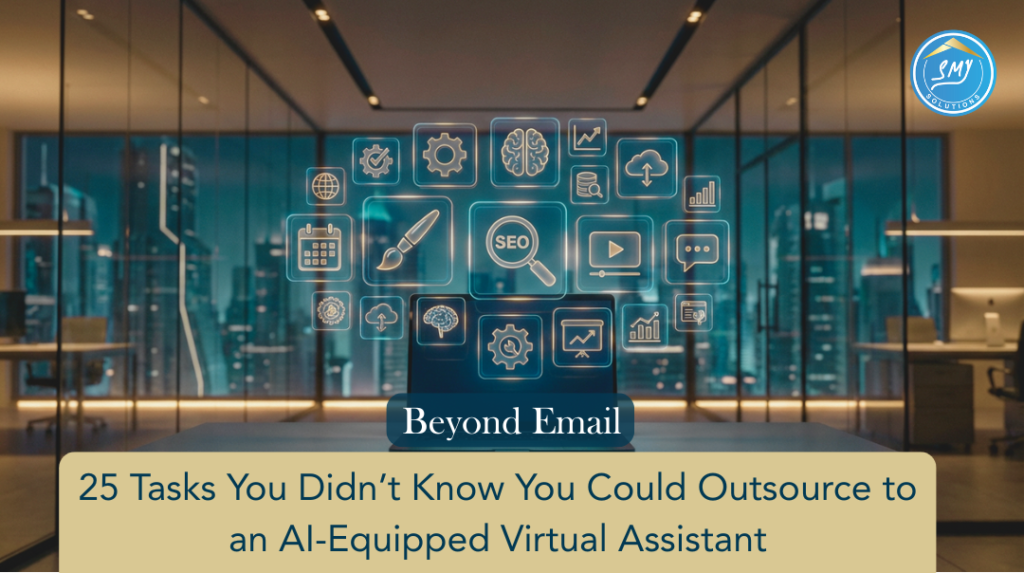
A professional digital marketing banner for SMY Solutions featuring a modern, blurred office interior at night. The foreground shows a laptop with a glowing "SEO" icon and various digital service symbols (like brain, gear, and video) floating above it. A dark blue button reads "Beyond Email," and a tan footer contains the title: "25 Tasks You Didn’t Know You Could Outsource to an AI-Equipped Virtual Assistant.

Beyond Email: 25 Tasks You Didn’t Know You Could Outsource to an AI-Equipped Virtual Assistant

TL;DR: Productivity in 2026 isn’t just about doing more; it’s about doing less of the wrong things. By leveraging an AI-equipped Virtual Assistant (VA) from SMY Solutions, you can outsource everything from predictive market research to short-form video editing, reclaiming up to 15+ hours per week. The Efficiency Gap: Why Traditional Outsourcing Isn’t Enough In the current landscape, “Email Management” is the bare minimum. To stay competitive, modern entrepreneurs are utilizing AI-augmented VAs. These professionals don’t just perform tasks; they use AI tools to synthesize data, automate workflows, and provide strategic insights. Quick Comparison: Standard VA vs. AI-Equipped VA Feature Standard Virtual Assistant SMY AI-Equipped VA Data Entry Manual typing and sorting Automated extraction & AI synthesis Content Basic blog drafting SEO/AIO optimized multi-channel content Research Google search links Generative market deep-dives & SWOT Scheduling Manual back-and-forth AI-driven calendar optimization 25 Tasks to Outsource for Maximum Productivity 1. Advanced Digital Marketing & Content 2. Strategic Market Intelligence 3. Operational & Technical Support 4. Administrative & Executive Flow 5. Specialized Niche Tasks Common Questions About AI Virtual Assistants (FAQ) Q: Will an AI-equipped VA replace my creative team? A: No. At SMY Solutions, our VAs use AI to handle the repetitive part of creativity—like formatting and initial drafting—leaving the final “human touch” and strategy to you. Q: How do I start outsourcing in Week 3 of my business growth? A: Focus on “The Friction Tasks.” Identify the 3 things you hate doing most. Hand those to an SMY Solutions VA first to see an immediate ROI on your time. Q: Is my data secure with a Virtual Assistant? A: Yes. We implement strict data privacy protocols and use encrypted password managers like LastPass or 1Password to ensure your business assets stay protected. Ready to reclaim your time? Book a Discovery Call with SMY Solutions today and let’s find the perfect AI-equipped partner for your business.

Beyond Email: 25 Tasks You Didn’t Know You Could Outsource to an AI-Equipped Virtual Assistant Read More »

Social Media Ideas for Attorneys in the U.S.

In today’s digital world, potential clients aren’t just Googling your law firm—they’re checking your social media too. Whether you’re a personal injury lawyer, criminal defense attorney, or specialize in family law, your social presence is your modern-day reputation. The American Bar Association emphasizes that a strategic social media presence can help attorneys connect with clients, as long as it adheres to ethical guidelines. Let’s break down how attorneys can use social media not just for visibility—but to grow their practice. Choosing the Right Social Media Platforms Not all platforms are created equal. Choose based on your target audience and content type. LinkedIn: The Professional Goldmine Ideal for B2B law practices, estate attorneys, and corporate law firms. Post thought leadership, case studies, and industry articles. Facebook: Local Visibility and Community Trust Facebook is excellent for connecting with your local audience. Use it for reviews, community updates, and promoting your services. Instagram: Visuals That Humanize Your Brand Instagram is well-suited for branding, showcasing your firm’s personality, and highlighting client testimonials or behind-the-scenes clips. YouTube: Show What You Know Educational videos like “5 Things to Know Before Filing for Divorce” or “What to Do After an Accident” can earn long-term trust and SEO benefits. TikTok: Yes, Even for Lawyers If you want to reach younger demographics or break down complex laws into digestible info, TikTok is gaining ground fast. Content Buckets for Legal Marketing Keeping content varied makes you more engaging and trustworthy. Educational Content Legal tips frequently asked questions, and bite-sized explainers of laws help position you as the expert. Behind-the-Scenes Show what your team does, your office culture, or daily life at the firm. People hire people, not just firms. Client Success Stories With consent, share anonymized case wins or kind testimonials. Social proof builds trust. Community Engagement Highlight your involvement in local events, nonprofits, or pro bono work. News Commentary Share your take on legal news headlines or court rulings relevant to your niche. Post Ideas to Keep Your Feed Fresh These kinds of posts educate while creating conversation. Video Content Ideas for Attorneys Short-form videos can drive massive engagement: Branding Tips for Legal Professionals Be consistent with colors, tone, and format. Whether someone sees you on LinkedIn or TikTok, they should recognize your brand instantly. Stories & Reels for Real-Time Connection Reels and Stories are great for showing office life, updates, or highlighting services. Use highlights to organize topics like “Personal Injury,” “FAQ,” or “Meet the Team.” Posting Frequency and Scheduling Post 3–4 times a week to stay top of mind. Best days? Tuesday–Thursday during lunch hours (12–1 PM) and early evenings. Hashtag Strategy for Attorneys Use a mix of broad and niche hashtags: Ethical and Legal Considerations Avoid offering personal legal advice. Keep everything educational and general. Use disclaimers like “This post is for informational purposes only and does not constitute legal advice.” Track Performance Like a Pro Monitor: Use insights to double down on what works. Helpful Tools for Busy Attorneys Conclusion Social media isn’t just for influencers and e-commerce—it’s a powerful tool for attorneys to connect, educate, and build trust with potential clients. The firms that embrace it now will be miles ahead in the next five years. Start small, stay consistent, and show up as the expert you are. FAQs 1. How can lawyers get clients from social media?By providing valuable content, building trust, and making it easy for followers to contact you via links, DMs, or calls-to-action. 2. What platform is best for law firms?LinkedIn and Facebook are solid foundations. Add Instagram or YouTube if you can consistently post visuals or videos. 3. Can attorneys advertise on TikTok?Yes! But keep it educational and compliant. Focus on simplifying legal topics or busting myths. 4. How do I stay compliant with bar regulations?Avoid promising results or giving personalized legal advice. Always include disclaimers and review your state bar’s guidelines. 5. What if I don’t have time to manage social media?Use scheduling tools, hire a virtual assistant, or outsource to a digital marketing agency that understands legal compliance.

Social Media Ideas for Attorneys in the U.S. Read More »

Cost of Doing It All: Save Big with a Virtual Assistant

Attempting to manage every duty oneself in today’s fast-paced corporate world can be more costly than you realize. From financial stress to emotional tiredness, the cost of doing it all yourself can stymie your progress and productivity. Learn how outsourcing, specifically employing a virtual assistant (VA), can help you save money, time, and energy. The Hidden Cost of Doing It All Yourself     1. Financial Strain: The cost of doing it all can be higher than you think. While handling every aspect of your organization may seem cost-effective at first, the reality is quite different. Time spent on administrative tasks, customer service, and marketing could be better invested in revenue-generating initiatives. Consider the opportunity lost when you focus on everything instead of prioritizing your key strengths. 2. Mental Burnout: Juggling several obligations can cause stress, exhaustion, and burnout. Overworking has an impact not just on your productivity but also on your decision-making abilities and creativity. Read more about the consequences of burnout. 3. Reduced Efficiency: When you’re stretched too thin, mistakes are unavoidable. Mistakes in customer communication, missing deadlines, and overlooked details can harm your reputation and lose your clients. How Hiring a Virtual Assistant Saves Your Cost?    1. Lower Costs Compared to Full-Time Employees: Hiring a full-time employee involves additional expenses like benefits, office space, and equipment. On the other hand, virtual assistants operate remotely and are only compensated for their hours, making them an affordable option. 2. Flexible Pricing Models: Virtual assistants include hourly fees, project-based pricing, and monthly packages. This flexibility enables you to grow services based on your needs and budget. Investigate flexible outsourcing alternatives. 3. Increased ROI: Delegating regular chores to a virtual assistant allows you to focus on strategic activities that generate growth. For example, instead of spending hours handling emails, you could network or create new goods. Tasks You Can Outsource to a Virtual Assistant     1. Administrative Support 2. Social Media Management 3. Customer Support 4. Specialized Tasks The Mental and Emotional Relief of Outsourcing     Outsourcing doesn’t just save money; it also reduces stress. Delegating tasks to a skilled VA allows you to focus on what you do best, improving your work-life balance and overall well-being. Get our VA on-boarding checklist guide Discover actionable steps to streamline your hiring process and master every stage of onboarding—before, during, and after—for efficient and successful team building! Download Now Book a Free Session with Us Ready to explore the benefits of virtual assistant services for your business? Book a free session with us today and discover how we can help you streamline operations, save costs, and achieve your growth goals. Let us handle the tasks while you focus on what matters most.

Cost of Doing It All: Save Big with a Virtual Assistant Read More »

Virtual Assistance For Business Growth: A Powerful Solution

Virtual assistant services have become a game changer for businesses looking to grow efficiently. These services offer specialized help, allowing companies to focus on essential activities while delegating time-consuming tasks. Discover how virtual assistant services may help various businesses succeed. What is a Virtual Assistant? Virtual assistant services entail delegating administrative, technical, or creative responsibilities to qualified people who work remotely. These services are available to organizations of all sizes, from startups to major enterprises, assuring seamless operations without the overhead costs of full-time personnel. How Virtual Assistants Can Benefit Your Business 1. Streamlined Administrative Tasks: Managing calendars, emails, and data input takes valuable time. Virtual assistants do these tasks well, allowing firms to concentrate on strategic growth. 2. Social Media Management: Virtual assistants may help you manage your social media presence by writing and scheduling posts, communicating with your followers, and monitoring performance indicators. This provides a constant and professional internet presence. 3. Website Management: From updating content to monitoring performance, virtual assistants can manage your website, ensuring it remains user-friendly and up-to-date 4. CRM Tool Management: Virtual assistants proficient in CRM tools like Go High level or HubSpot can manage customer data, track interactions, and help optimize your sales pipeline. 5. SEO and Content Optimization: Virtual assistants skilled in SEO can optimize your website and content for search engines, helping your business rank higher and attract more organic traffic. 6. Cost-Effective Solutions: Hiring a virtual assistant is less expensive than onboarding full-time employees. Businesses save cost greatly by not having to pay for office space, perks, or equipment while gaining access to top people. 7. Enhanced Customer Support: Virtual assistants excel at offering 24/7 customer assistance via chat, email, or phone. This ensures client pleasure and retention, which is crucial to long-term success. Industries That Benefit Most from Virtual Assistant Service Real estate: Virtual assistants streamline real estate operations by organizing property viewings and managing client databases, allowing agents to finalize deals faster. E-commerce: Virtual assistants support e-commerce enterprises in managing inventory, processing orders, and responding to consumer inquiries, resulting in a more seamless shopping experience. Healthcare: Virtual assistants in healthcare help with appointment scheduling, patient follow-ups, and data administration, all of which improve efficiency and patient care. Investigate flexible outsourcing alternatives. Get our VA on-boarding checklist guide Discover actionable steps to streamline your hiring process and master every stage of onboarding—before, during, and after—for efficient and successful team building! Download Now How to Choose the Right Virtual Assistant Service 1. Identify your needs: Determine which responsibilities you wish to delegate, whether administrative, artistic, or technical. This clarity aids in selecting the ideal fit. 2. Evaluate skills and experience: Look for virtual assistants with industry-specific experience. Examine reviews and portfolios to determine their talents. 3. Communication & Tools: Make sure the virtual assistant uses effective communication platforms like Slack or Zoom and is familiar with project management software. Why Virtual Assistant Services Are the Future By delegating regular activities, firms can concentrate on innovation and strategy. This leads to increased productivity and a speedier completion of goals. As remote work becomes popularity, virtual assistant services are becoming increasingly important. They provide flexibility, scalability, and experience, making them an invaluable resource for modern enterprises. Book a Free Session with Us Ready to explore the benefits of virtual assistant services for your business?  Book a free session with us today and discover how we can help you streamline operations, save costs, and achieve your growth goals. Let us handle the tasks while you focus on what matters most.

Virtual Assistance For Business Growth: A Powerful Solution Read More »